
We’ve all been there: staring at a phone or laptop showing full Wi-Fi bars, yet videos buffer endlessly, emails take forever to send, and web pages load at a crawl. The natural assumption—more signal bars equal faster internet—feels intuitive, but is it rooted in fact? As someone with a background in network engineering and data communications, I’ve dug into the physics of wireless signals, router design, and internet infrastructure to separate myth from reality. The answer is clear: Wi-Fi bars measure signal strength and connection stability, not actual data transfer speed. Speed depends on three critical factors—network congestion, router performance, and your service provider’s plan—none of which are reflected in those tiny visual indicators. Let’s unpack the science behind signal bars, why they fail to predict speed, and how to get accurate insights into your true internet performance.
To understand the disconnect, we first need to define what Wi-Fi bars represent. Signal strength is quantified in dBm (decibels relative to a milliwatt), a logarithmic scale where values closer to 0 indicate stronger signals. Most devices translate this into 1–5 bars: -30 to -50 dBm (full bars) means an excellent, stable connection; -50 to -67 dBm (3–4 bars) is good for most tasks; and below -67 dBm (1–2 bars) often brings dropouts or slow responsiveness. These bars only measure how well your device communicates with the router, not how much data the router can push through to the internet. It’s like having a clear phone call (strong signal) with someone who’s stuck in a traffic jam—you can hear each other perfectly, but neither can share information quickly.
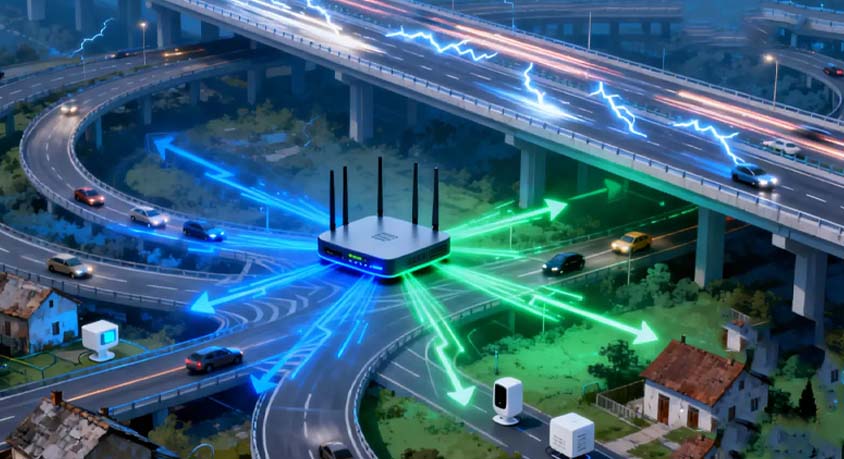
Network congestion is the top culprit behind speed gaps between signal strength and real-world performance. A router’s bandwidth is a finite resource, shared among all connected devices. When multiple people stream 4K videos, play online games, download large files, or use cloud services simultaneously, available bandwidth gets divided, slowing everyone down. Studies show that in households with 5+ connected devices (the average today), peak-hour congestion can reduce speeds by 40–60%—even with full Wi-Fi bars. Imagine a highway: a clear road (strong signal) with dozens of cars (devices) will still move slowly. This is especially noticeable in apartments or dense neighborhoods, where nearby Wi-Fi networks compete for the same 2.4GHz or 5GHz frequency bands, further crowding the “airwaves.”
Router performance is another key variable that signal bars ignore. Not all routers are created equal, and their hardware and software directly limit speed. Wi-Fi 5 (802.11ac) routers have a maximum theoretical speed of 2.3Gbps, while Wi-Fi 6 (802.11ax) models reach up to 9.6Gbps—nearly four times faster—thanks to technologies like OFDMA and MU-MIMO that handle multiple devices more efficiently. Antenna count is often misunderstood: more antennas don’t guarantee speed, but they support better signal distribution and multi-device connectivity. A low-quality router with 4 antennas may perform worse than a high-end 2-antenna model with a powerful processor and sufficient memory. Even a strong signal can’t overcome a router that’s outdated or underpowered.
Your internet service provider (ISP) plan sets a hard ceiling on speed, regardless of signal strength. Many “unlimited” plans throttle speeds after a data cap—for example, offering 10–20GB of high-speed data (100–300Mbps) before slowing to 1Mbps or less. Even unlimited plans without caps often have “fair use” policies that prioritize other users during peak times. Additionally, most residential plans have asymmetrical speeds: a 1000Mbps (gigabit) download plan may only include 50Mbps upload speed, which cripples tasks like video conferencing, live streaming, or cloud backups—even with full Wi-Fi bars. If your plan only supports 50Mbps, a perfect signal can’t magically boost it to 100Mbps any more than a strong radio signal can make a low-power station broadcast farther.
Real-world scenarios highlight these gaps. A remote worker in a small apartment has full Wi-Fi bars but struggles with video calls—their router is outdated (Wi-Fi 5) and shared with two roommates streaming shows and gaming. A family in a suburban home has a Wi-Fi 6 router and full bars, but their kids’ online games lag during evenings—their ISP throttles speeds after 50GB of monthly use. A student in a dorm has a strong signal but slow downloads—dozens of classmates are using the same network during study hours. In each case, signal bars are irrelevant to the actual speed bottleneck.
Speed test apps solve this problem by measuring real-world performance, not just signal strength. These tools connect to nearby servers to calculate three key metrics: download speed (data received from the internet, measured in Mbps), upload speed (data sent to the internet), and latency (Ping, in milliseconds—the time it takes for data to travel to a server and back). For accurate results, test at different times of day (avoiding 7–11 PM peak hours), close background apps, and run 2–3 tests to average out variability. A good test app will also show jitter (variations in latency), which affects gaming and video calls, and identify the server used for transparency.
Like any tools, speed test apps and signal bars have tradeoffs. Signal bars are instant, low-effort indicators of connection stability—useful for troubleshooting dropouts or weak coverage in your home. Their downside is irrelevance to speed. Speed test apps provide precise, actionable data but require a minute of active use. They’re ideal for anyone troubleshooting slow speeds, verifying ISP plan compliance, or deciding if they need a router upgrade. Signal bars work for quick checks, but speed tests are essential for understanding true performance.
Practical guidance for accurate speed assessment: First, use a reputable speed test app to measure download/upload speeds and latency. Second, test in multiple locations (e.g., living room vs. bedroom) to map both signal strength and speed. Third, check your ISP plan details to know your expected speed limits. Fourth, reduce congestion by disconnecting unused devices or scheduling large downloads during off-peak hours. Fifth, upgrade to a Wi-Fi 6 router if you have multiple devices or a high-speed plan—its improved efficiency will translate to faster speeds even with the same signal strength.
Common misconceptions demand correction. Many believe “full bars = maximum speed,” but congestion, router limits, or ISP throttling often cap performance. Another myth: “2.4GHz has better signal, so it’s faster”—while 2.4GHz covers more distance, its crowded bandwidth usually makes 5GHz faster for nearby devices. A third misunderstanding: “signal boosters increase speed”—they only improve signal strength, not the router’s capacity or ISP-imposed limits.
In summary, Wi-Fi bars are a useful tool for judging connection stability, but they tell you nothing about actual internet speed. True speed is determined by network congestion, router performance, and your ISP plan—factors that require active testing to measure.