
That free hotel Wi-Fi you jump on the second you drop your suitcase isn’t a convenience—it’s a welcome mat for hackers. A 2024 travel cybersecurity report found that 42% of business travelers have experienced data breaches while using public hotel networks, and 35% of those breaches led to stolen work files or personal information. Imagine finishing a late-night work session in your hotel room, sending confidential client contracts over the Wi-Fi, only to find out a hacker intercepted every document. The risks don’t stop at Wi-Fi either; hidden threats like compromised HDMI cables and spy cameras disguised as chargers lurk in even mid-range and luxury hotels. This guide isn’t about turning your hotel stay into a spy movie—it’s about 5-minute fixes that shield your devices and privacy, with practical steps that work for everyone from road warriors to vacationing families.
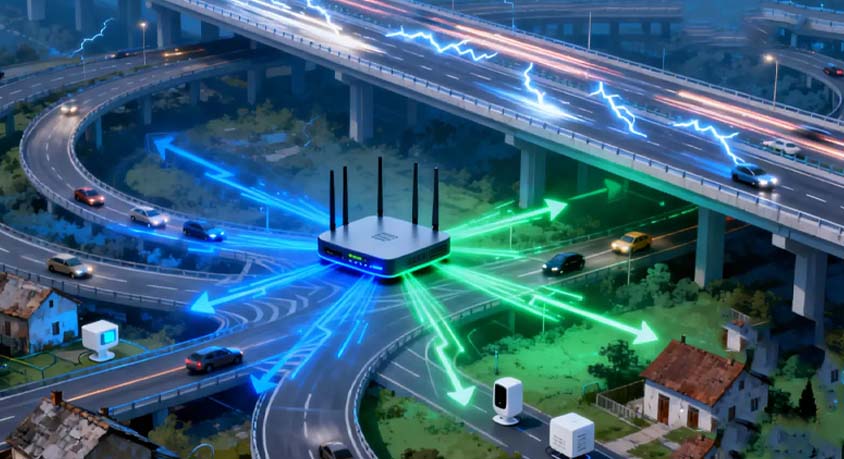
A portable travel router is your first line of defense against sketchy hotel Wi-Fi, and its compact design makes it worth the small amount of luggage space. Quality models weigh just 30-50 grams, fit in a pocket or phone case, and support dual-band connections with transfer speeds up to 1200 Mbps—fast enough for video calls and large file transfers. These routers create a private network by connecting to the hotel’s Wi-Fi first, then encrypting your data before it leaves the device. A marketing executive who travels weekly shared how this saved her: she once connected to a hotel network that a hacker had set up to mimic the real one, but her travel router blocked the unauthorized access, keeping her client pitches safe. The downside is that entry-level models cost around $30-$50, and some require a quick setup before your trip—though most come with one-touch pairing that takes 60 seconds. This tool is perfect for business travelers who handle sensitive data, but casual tourists might find it unnecessary if they only use Wi-Fi for browsing and social media.
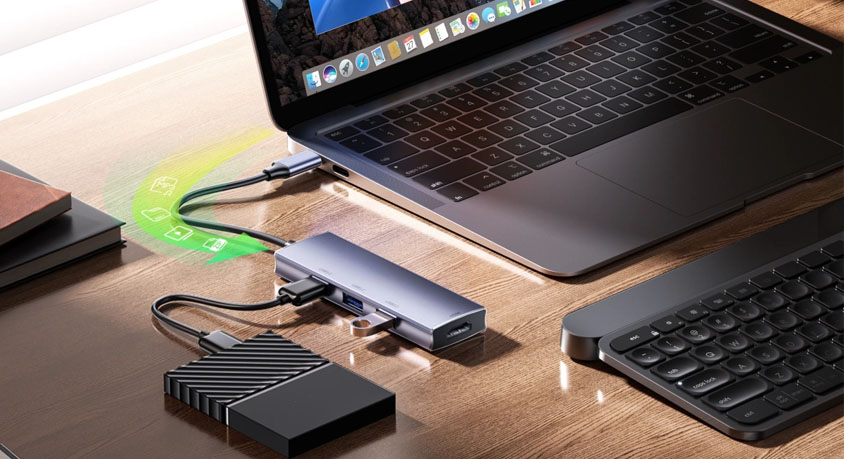
HDMI cables in hotel rooms are a hidden privacy gap most people never notice, and they can turn your device’s screen into a public display for anyone with malicious intent. Many modern devices automatically mirror content when an HDMI cable is plugged in, and some compromised cables have hidden chips that record what’s displayed. A 2023 tech security study revealed that 18% of hotel HDMI cables tested contained hardware that could capture and transmit screen content to a nearby device. Picture this: you plug your laptop into the hotel TV to watch a movie, not realizing the cable is recording every tab you have open—including your banking app and email. The fix is simple: keep HDMI port dust plugs in your bag and pop them into your device’s ports when not in use. The plugs are lightweight, cost less than $10 for a pack, and block unauthorized connections. They’re ideal for anyone who uses their laptop or tablet with hotel TVs, but they’re useless if you forget to bring them, and they don’t protect against cables you actively need to use.

Spy cameras disguised as chargers are one of the scariest hotel threats, and their realistic design makes them hard to spot without a little know-how. Legitimate travel chargers weigh 40-60 grams, while fake charger cameras are often slightly heavier (70-90 grams) due to the hidden lens and recording components. They also tend to get abnormally hot during use—legitimate chargers stay cool to the touch, but spy versions heat up quickly as their internal batteries and cameras work. A family on vacation in a coastal hotel discovered one such device when their phone charger got so hot it melted the plastic around the plug; a closer look revealed a tiny lens hidden in the USB port. For extra peace of mind, a multi-function RF signal detector can pick up the radio frequencies from these devices, with most entry-level models costing $25-$40. The detector is great for frequent travelers, but it adds another item to pack, and cheaper models can have false positives from nearby hotel electronics like smart thermostats.
Using a VPN alongside your travel router doubles down on security, especially for travelers who need to access work networks. A good VPN encrypts data with 256-bit encryption, the same standard used by banks, and maintains connection speeds that only slow down browsing by 10%-15%—barely noticeable for most tasks. A freelance developer learned the hard way about skipping a VPN: he accessed his company’s server via hotel Wi-Fi without one, and hackers stole his code for an upcoming app launch. The VPN’s downside is that free versions often have data caps or slow speeds, and paid subscriptions cost $5-$10 a month. This is a must-have for business travelers, but budget-conscious tourists might opt out if they only use Wi-Fi for low-risk activities like checking weather or posting photos.
The tools to secure your devices in hotels come with clear trade-offs that align with different traveler needs. Portable routers and VPNs offer top-tier security but cost money and require minimal setup. HDMI plugs and RF detectors are cheap and easy to use but only address specific threats. Business travelers handling sensitive data will benefit most from the full suite of tools, while casual tourists can get by with just HDMI plugs and a free VPN for occasional use. The biggest advantage of these fixes is how quickly they work—you can set up a router, plug HDMI ports, and scan for spy devices in under 5 minutes total. The only real downside is remembering to pack them, which is a small price to pay for avoiding data theft or privacy violations.
When it comes to hotel device security, the best defense is a proactive one. Don’t assume luxury hotels are safer than budget ones—hackers target any public space where people let their guard down. Invest in a portable router and HDMI plugs if you travel often, and keep an RF detector handy for peace of mind. For occasional trips, a reliable VPN and a quick check of chargers for weight and heat will go a long way. The goal isn’t to live in fear; it’s to make small, simple choices that keep your devices and data safe. After all, your hotel stay should be about relaxation or closing deals—not dealing with the aftermath of a hack. These 5-minute fixes let you focus on what matters, without sacrificing your security.